Parking and commuting
There is designated parking for AppLovin employees at building 1100. Please do not park in any of the other building lots on campus, as those belong to the tenants of those buildings.



Underground Garage
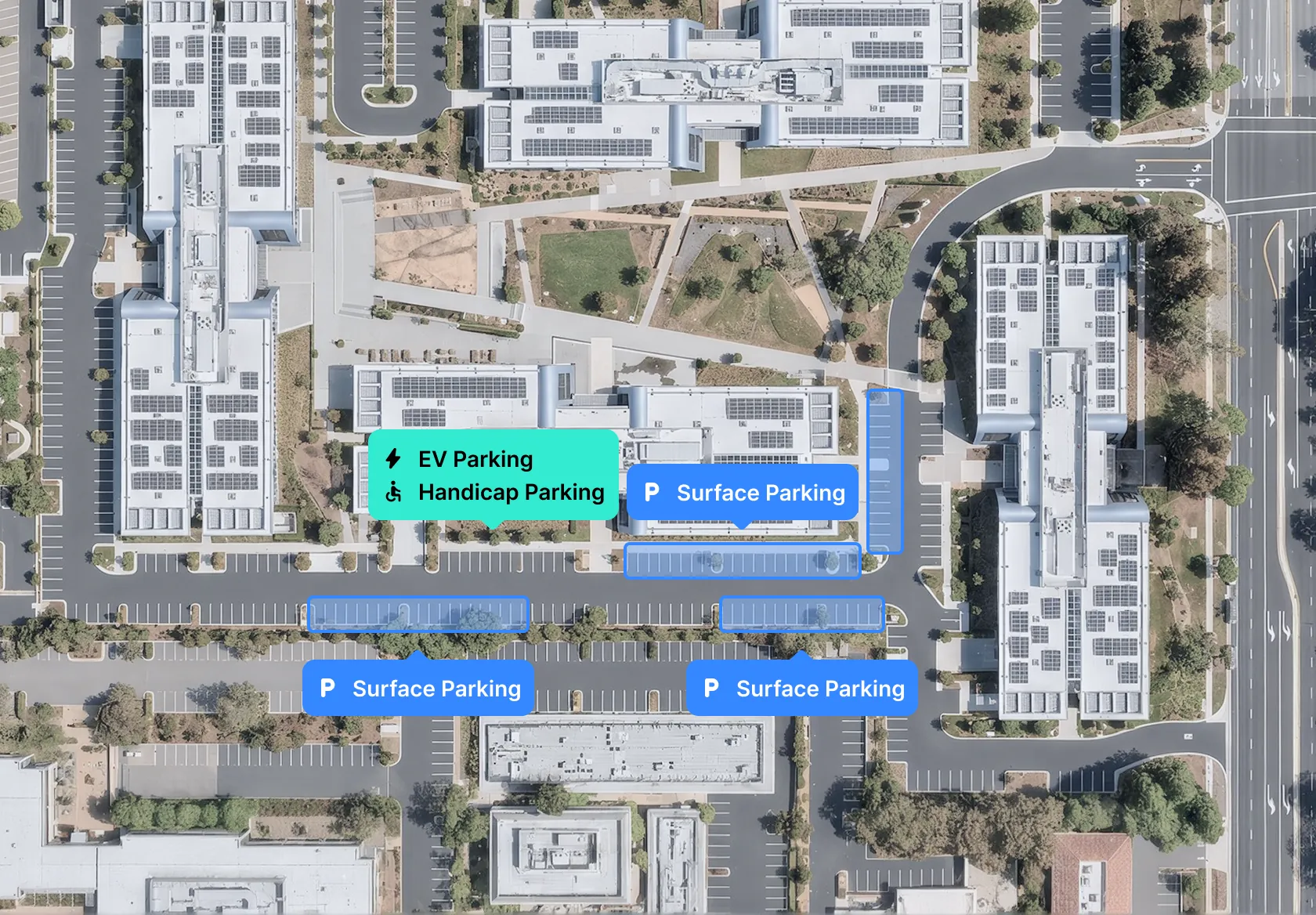
Available from 7AM - 6PM. If you need access after hours, please contact GSOC (650) 546-1160. The entrance is just past the electric car parking outside, you will see a sign indicating where to go. A limited number of ChargePoint electric vehicle charging spaces are available as well.
Surface Lot
Limited parking is also available in the surface lot spaces surrounding HQ. A limited number of ChargePoint electric vehicle charging spaces are available as well. Please be aware certain areas of the surface lot will be blocked off or designated for alternate use through the week.
Rideshare Drop-off & Pick-up
Drop-off and pick-up will be directly in front of the main lobby entrance at the curb. There will also be parking spots designated for drivers to wait if necessary. Use Lyft code APPWEEK2026, visit this link, or scan the QR code.
Shuttle Drop-off and Pick-up
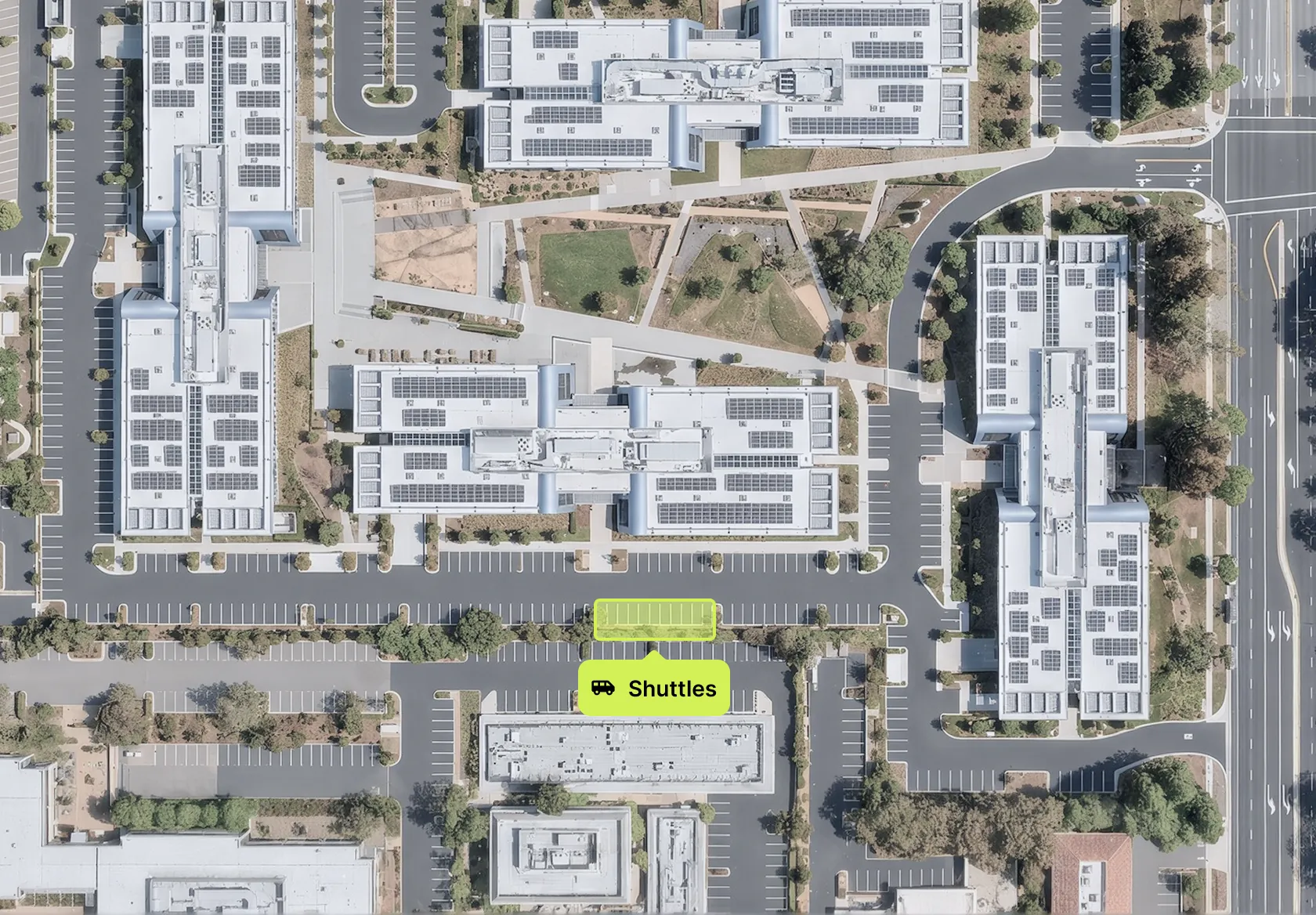
Shuttle drop off and pick up will be located on the surface lot in front of the main lobby entrance.
Overnight Parking
If necessary, you are welcome to leave your car in the underground garage overnight. Please be aware that the garage will be unlocked from 7AM - 6PM. If you need access after hours, please contact GSOC (650) 546-1160.
Building access and badging


/ Getting your badge
Upon arrival at HQ, check in with the Facilities team in the main lobby to pick up your APP Week badge. All attendees must wear it at all times throughout the week, even if they have a building access badge.
/ Security
Building access is managed by AppLovin’s Security Team. If you lose your badge, or have any further questions regarding access, please reach out to gsoc@applovin.com.
/ Entrance schedule
The main lobby will be unlocked from 8am – 7pm, and interior office doors will remain unlocked all week. You may exit through any exterior door, but re-entry is only through the main lobby with your APP Week badge.
/ Capacity note
HQ will be at near capacity during the week. We kindly ask that you do not invite personal guests to the office for breakfast or lunch. Team events happening throughout the week at HQ are for employees only.
IT support
If you need IT support, submit a ticket using the IT Service Desk or email it@applovin.com. Consider sending a ticket ahead of time, as our IT team will be seeing a high influx of on-site demand this week.
Wi-Fi Access
Having trouble? Check out the Wi-Fi guides for Mac and Windows.
AppLovin
Username & Password: Your OKTA Credentials
AppLovin-Guest
Password: Bemygue$t
Zoom Rooms
For instructions on how to use the iPads in the Zoom rooms, see the Zoom Room User Guidenorth_east

Peripheral Equipment
Please remember to pack any computer accessories that you'll need, including mice, chargers, and adapters. We will have a limited quantity of items available in case you forget anything, located in bins on the 2nd floor landing near the elevator.
Printers
Need to print something? Follow the print setup guide to connect and print. Instructions will also be posted at the printers.
Office amenities
HQ Cafe

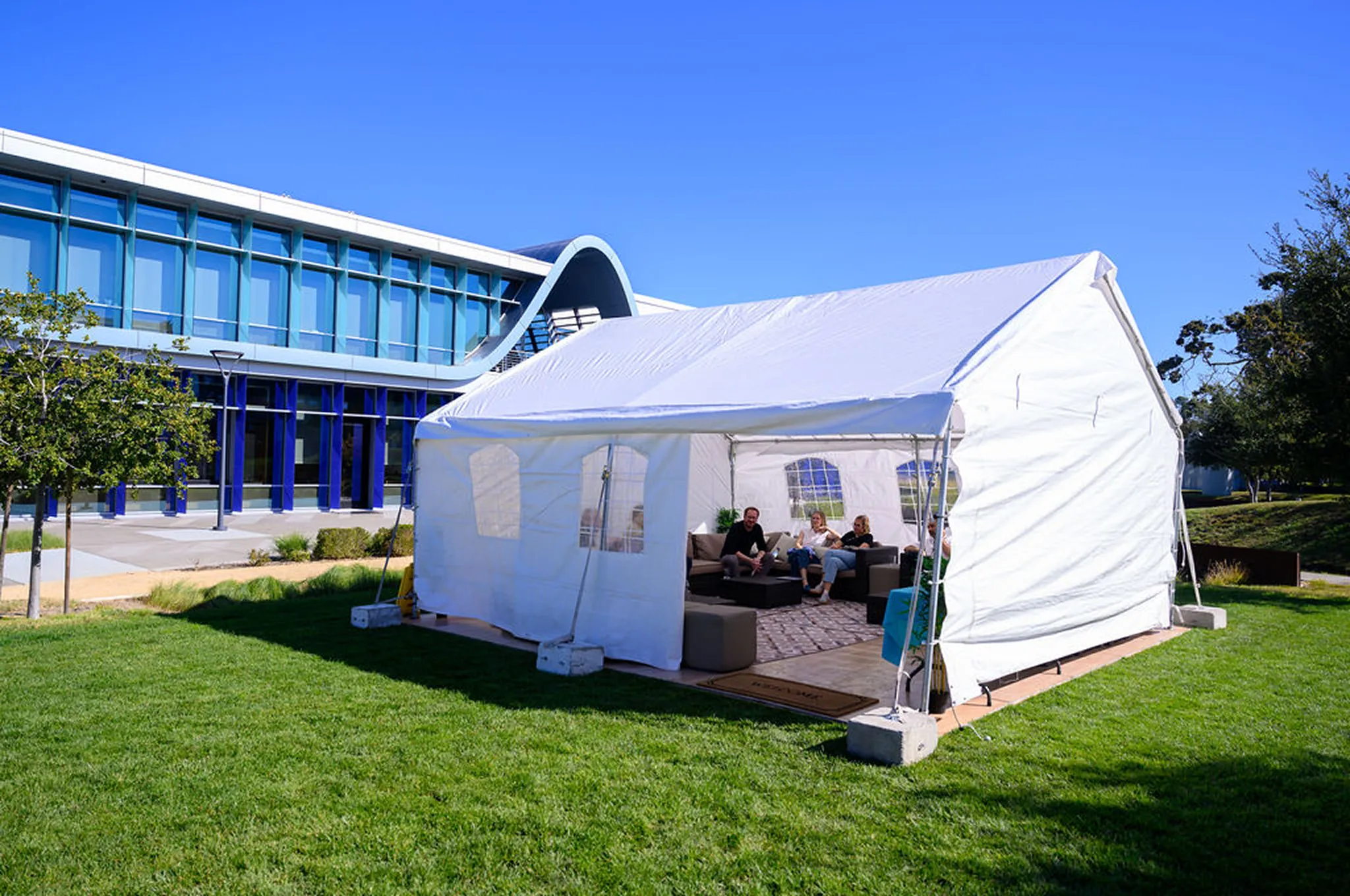
The Cafe will be busy during lunch, so please use the full two-hour window and additional seating in the Courtyard Tent. Three micro kitchens throughout HQ offer coffee, water, snacks, and beverages. Visit the Bon Appétit website for daily menus and food updates.
OPENS 8-10AM, 11:30AM-1:30PM, 5PM
The AppLovin Gym

The gym is on the first floor, opposite the Cafe. Before using it, please submit a GSOC ticket to request the waiver. Hand sanitizer and wipes are provided, and janitorial staff will clean throughout the day. Please wipe down equipment after use. Locker rooms, showers, and towel service are available next to the gym.
CLOSED TUE 7AM-12PM & WED 7AM-4PM FOR EXPO SETUP
Workspaces, seating, & outdoor tents
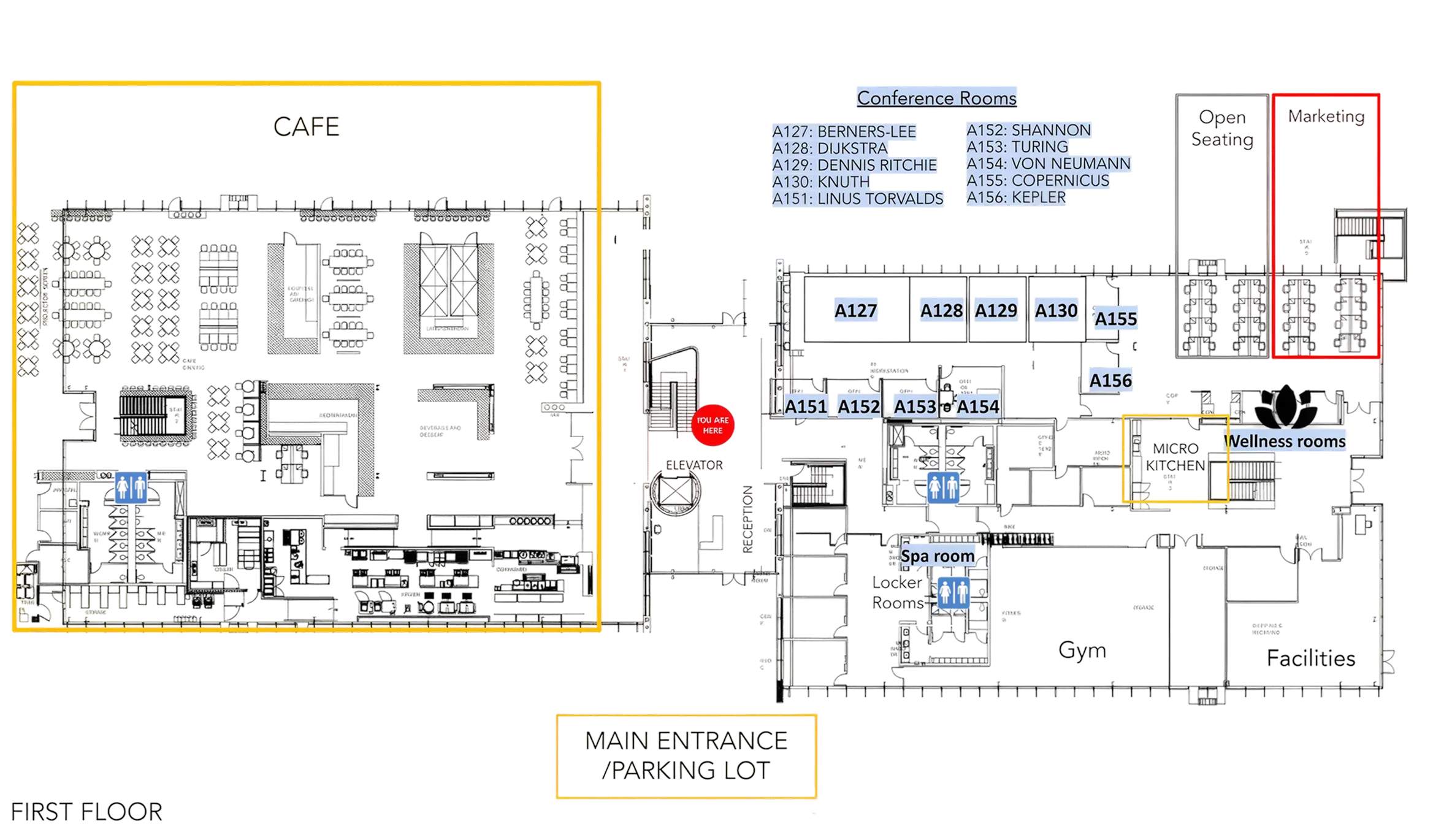
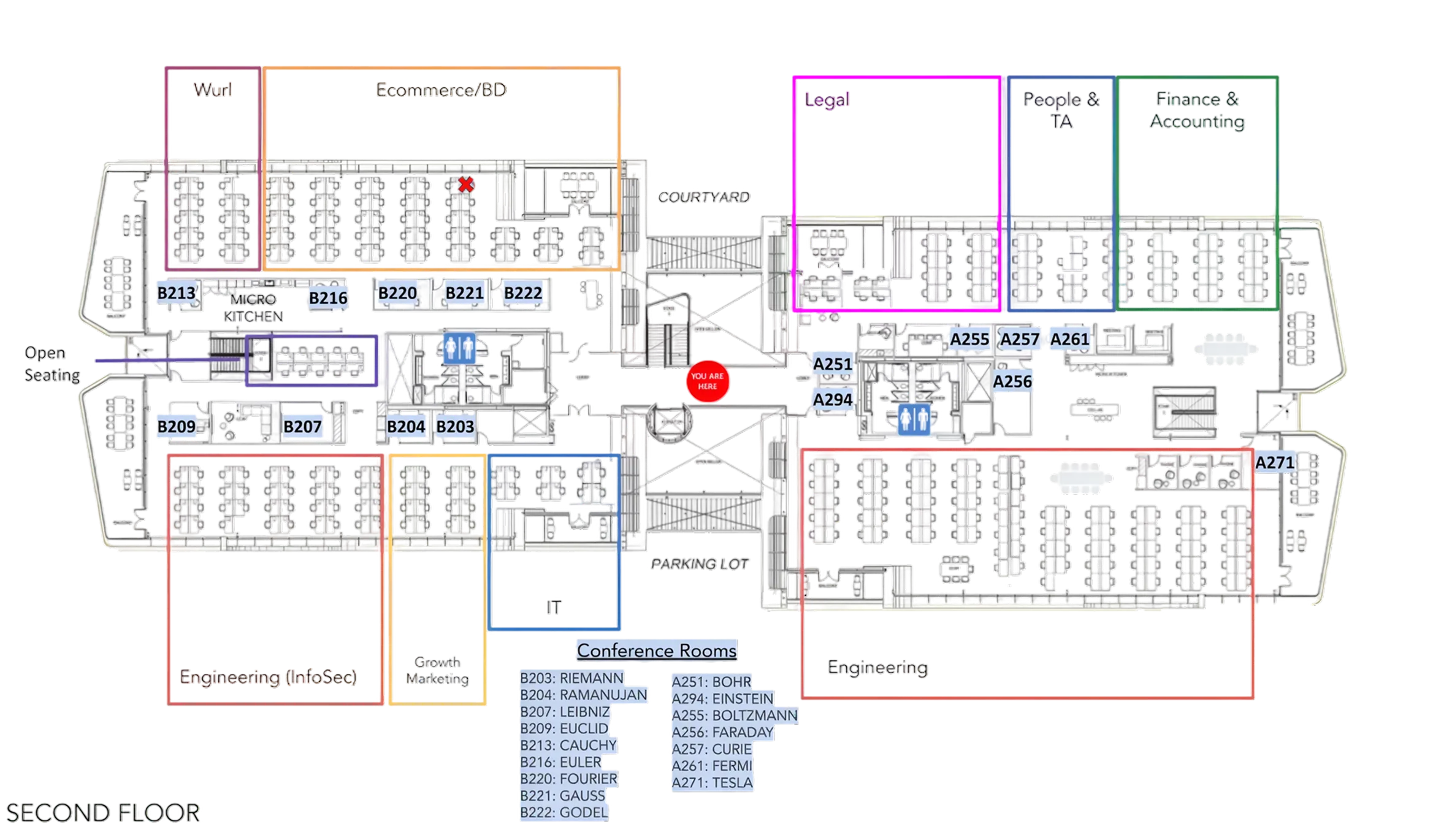
Discover the space
Team workspaces
We will be at full capacity during APP Week. Teams will be assigned designated areas. Maps indicating where your team will sit are given out at check-in, and signage will be posted throughout the office. Please note these areas may differ from where you are used to sitting if you frequently come into the office or have visited HQ before.

Individual desks
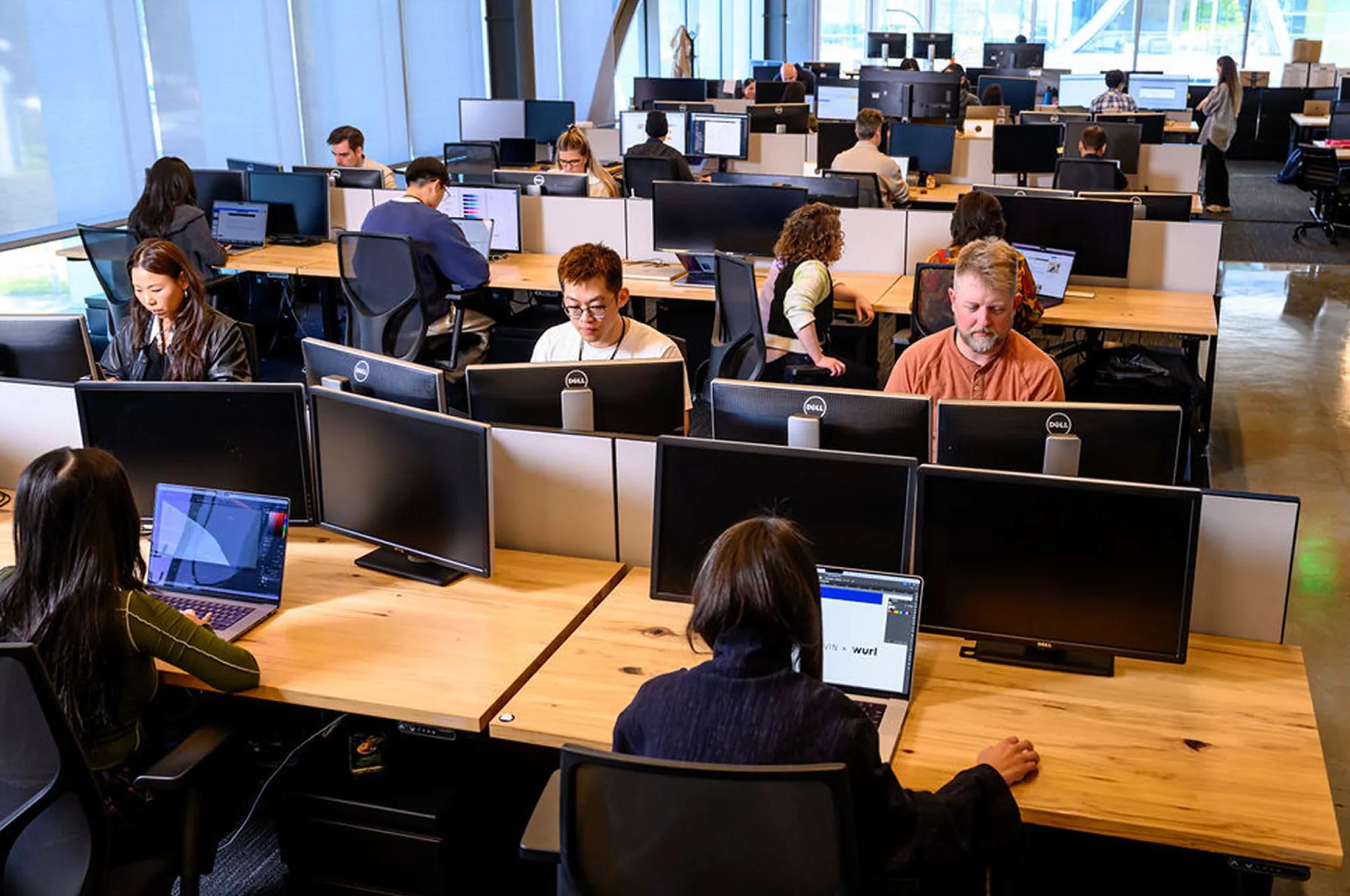
There will be more people than there are individual desks in your area. Keep your personal belongings off to the side in your area so that team members can use the desks when they are vacant and double up at desks when needed. Other "hotel" desks will be available throughout the building and will be marked with signage. Please be respectful of people's personal belongings at the desk workspaces. We will be sharing desks and space throughout the week, so it's important to leave the area as you found it when you arrived.
Conference rooms
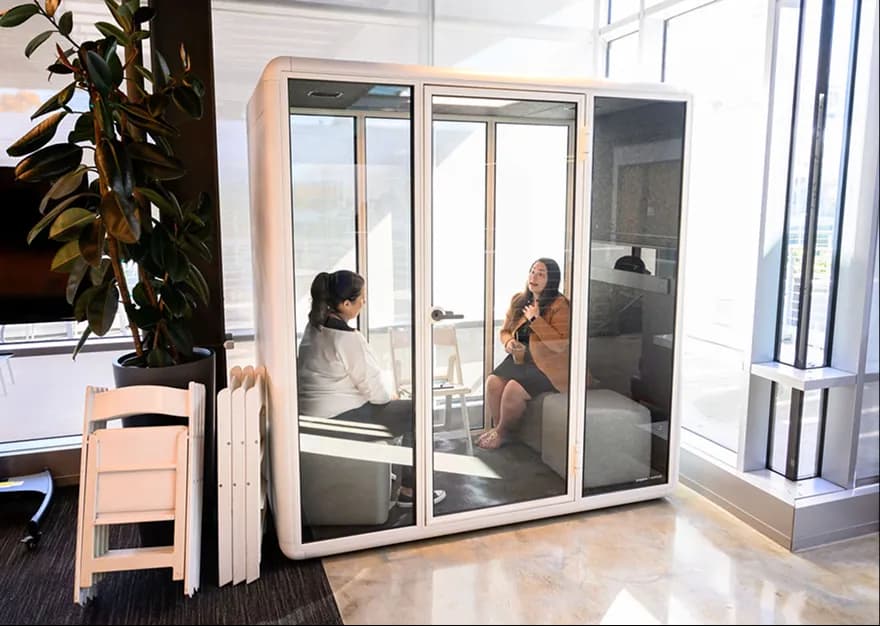
Conference rooms will be in high demand this week. Please consider taking meetings in common areas, outside, or doing walking meetings when possible. We will have lounge seating available in the courtyard tent as well. Most conference rooms are bookable through Google Calendar and should be reserved in advance. Please do not claim a conference room as a workspace for yourself.

Courtyard tent
The Courtyard Tent is available for casual working space and lunch overflow, feel free to use as needed. The AV tent is used for larger team/department meetings. Please work with Facilities to book the space. Both tents will have Wi-fi available.